Cloud-Based CRM vs On-Premise CRM: Which Is Better?
Cloud-Based CRM vs On-Premise CRM: Which Is Better?
Choosing the right Customer Relationship Management (CRM) deployment model is a critical decision for modern businesses. One of the most debated topics in enterprise software is cloud-based CRM vs on-premise CRM. Each model has distinct advantages, limitations, and cost implications that directly impact scalability, security, compliance, and long-term ROI.
With businesses in Tier-1 markets such as the United States, United Kingdom, Canada, Australia, and Europe increasingly prioritizing digital transformation, understanding the differences between cloud CRM and on-premise CRM is essential. This in-depth guide compares both models across cost, performance, security, compliance, customization, and future readiness to help you make an informed decision.
What Is a Cloud-Based CRM?
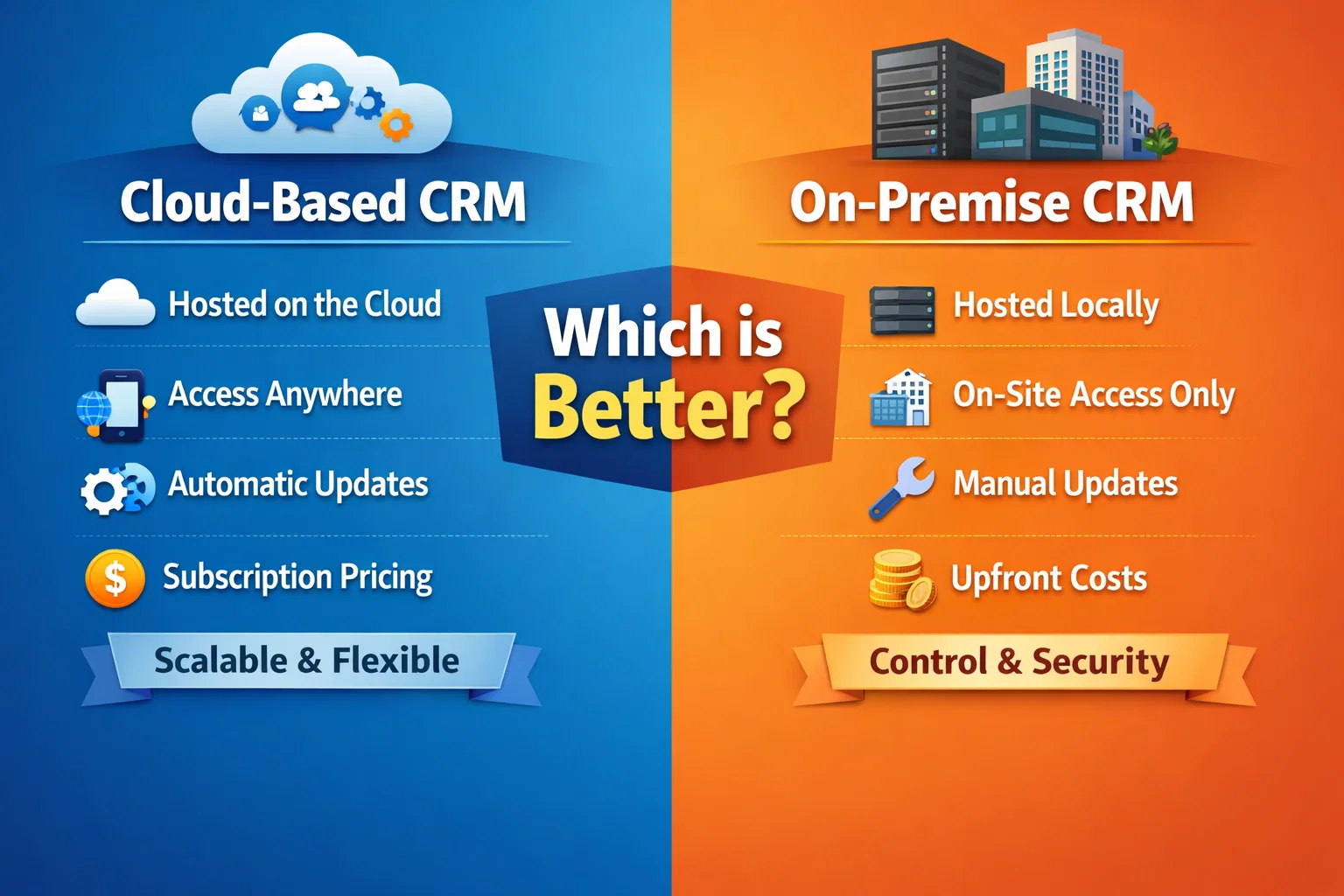
A cloud-based CRM (also known as SaaS CRM) is hosted on the vendor’s servers and accessed through the internet. Users log in via a web browser or mobile app, and the CRM provider handles infrastructure, maintenance, updates, and security.
Cloud CRM solutions are subscription-based and are widely adopted by startups, SMBs, and enterprises due to their flexibility and lower upfront costs.
Key Characteristics of Cloud CRM
- Hosted on remote servers
- Accessible from anywhere
- Automatic updates and upgrades
- Subscription-based pricing
- Rapid deployment
What Is an On-Premise CRM?
An on-premise CRM is installed and hosted on a company’s own servers and infrastructure. The organization is responsible for hardware, software installation, maintenance, security, and upgrades.
This model is often preferred by large enterprises with strict data control, regulatory requirements, or highly customized workflows.
Key Characteristics of On-Premise CRM
- Installed on local servers
- Full control over data
- Higher upfront investment
- Manual updates and maintenance
- IT team dependency
Cloud-Based CRM vs On-Premise CRM: Core Differences
| Factor | Cloud-Based CRM | On-Premise CRM |
|---|---|---|
| Deployment | Hosted by vendor | Hosted internally |
| Initial Cost | Low | High |
| Maintenance | Vendor-managed | Self-managed |
| Scalability | Highly scalable | Limited by hardware |
| Accessibility | Anywhere, anytime | Mostly on-site |
| Security Control | Shared responsibility | Full control |
Cost Comparison: Cloud CRM vs On-Premise CRM
Cloud CRM Cost Structure
Cloud-based CRM systems typically follow a subscription pricing model, charging monthly or annually per user. This makes budgeting predictable and reduces capital expenditure.
- No server hardware costs
- No installation fees
- Lower IT staffing needs
- Pay-as-you-grow model
On-Premise CRM Cost Structure
On-premise CRM solutions require significant upfront investment and ongoing operational expenses.
- Server and hardware purchases
- Licensing fees
- IT staff salaries
- Upgrade and maintenance costs
For most businesses, especially SMBs and SaaS companies, cloud CRM delivers a significantly lower total cost of ownership.
Scalability & Flexibility
Scalability is a major deciding factor in the cloud vs on-premise CRM debate.
Cloud CRM Scalability
Cloud CRM platforms scale effortlessly. Businesses can add users, storage, or features instantly without infrastructure changes.
On-Premise CRM Scalability
Scaling on-premise CRM requires additional hardware, configuration, and downtime, making it less flexible for fast-growing organizations.
Security & Compliance Considerations
Cloud CRM Security
Modern cloud CRM providers invest heavily in enterprise-grade security, including:
- Data encryption
- Multi-factor authentication
- Regular penetration testing
- GDPR, SOC 2, ISO 27001 compliance
For many Tier-1 businesses, cloud CRM security often exceeds what internal IT teams can deliver.
On-Premise CRM Security
On-premise CRM offers complete control over security policies but places full responsibility on the organization.
- Custom security configurations
- Internal compliance audits
- Higher risk of misconfiguration
Customization & Integration
Customization is a key requirement for enterprise workflows.
Cloud CRM Customization
Most cloud CRM platforms offer:
- Custom fields and objects
- Workflow automation
- API-based integrations
- Marketplace apps
On-Premise CRM Customization
On-premise systems allow deeper customization but often require custom development, increasing cost and complexity.
Performance & Reliability
Cloud CRM providers use global data centers and high-availability architecture to ensure uptime and performance.
On-premise CRM performance depends entirely on internal infrastructure, which may suffer from downtime, limited redundancy, and disaster recovery challenges.
Remote Work & Mobility
The rise of remote and hybrid work has accelerated cloud CRM adoption.
- Cloud CRM supports remote teams effortlessly
- Mobile apps enable real-time access
- On-premise CRM often requires VPN access
Which CRM Is Better for Tier-1 Markets?
In Tier-1 countries, businesses prioritize scalability, compliance, security, and ROI. Cloud-based CRM systems dominate these markets due to their agility, innovation, and cost efficiency.
On-premise CRM still makes sense for:
- Highly regulated industries
- Government organizations
- Businesses with legacy infrastructure
Future Trends: Cloud CRM Is Leading
The future of CRM is cloud-first, AI-powered, and data-driven. Cloud CRM platforms integrate artificial intelligence, predictive analytics, and automation far faster than on-premise systems.
Businesses that adopt cloud CRM gain access to continuous innovation without disruption.
Final Verdict: Cloud-Based CRM vs On-Premise CRM
For most modern businesses, cloud-based CRM is the better choice. It offers lower costs, faster deployment, higher scalability, and advanced features that support growth and digital transformation.
On-premise CRM remains relevant for niche use cases but is rapidly declining in adoption as cloud security and compliance standards mature.
Ultimately, the best CRM solution aligns with your business goals, regulatory requirements, and long-term growth strategy.
Comments (3)